
Emoji, stickers and soundboard
Every member can browse the server’s Emojis and Stickers tabs in Server settings. Adding and deleting needs a permission.
Custom emoji
Section titled “Custom emoji”You need Manage Emojis.
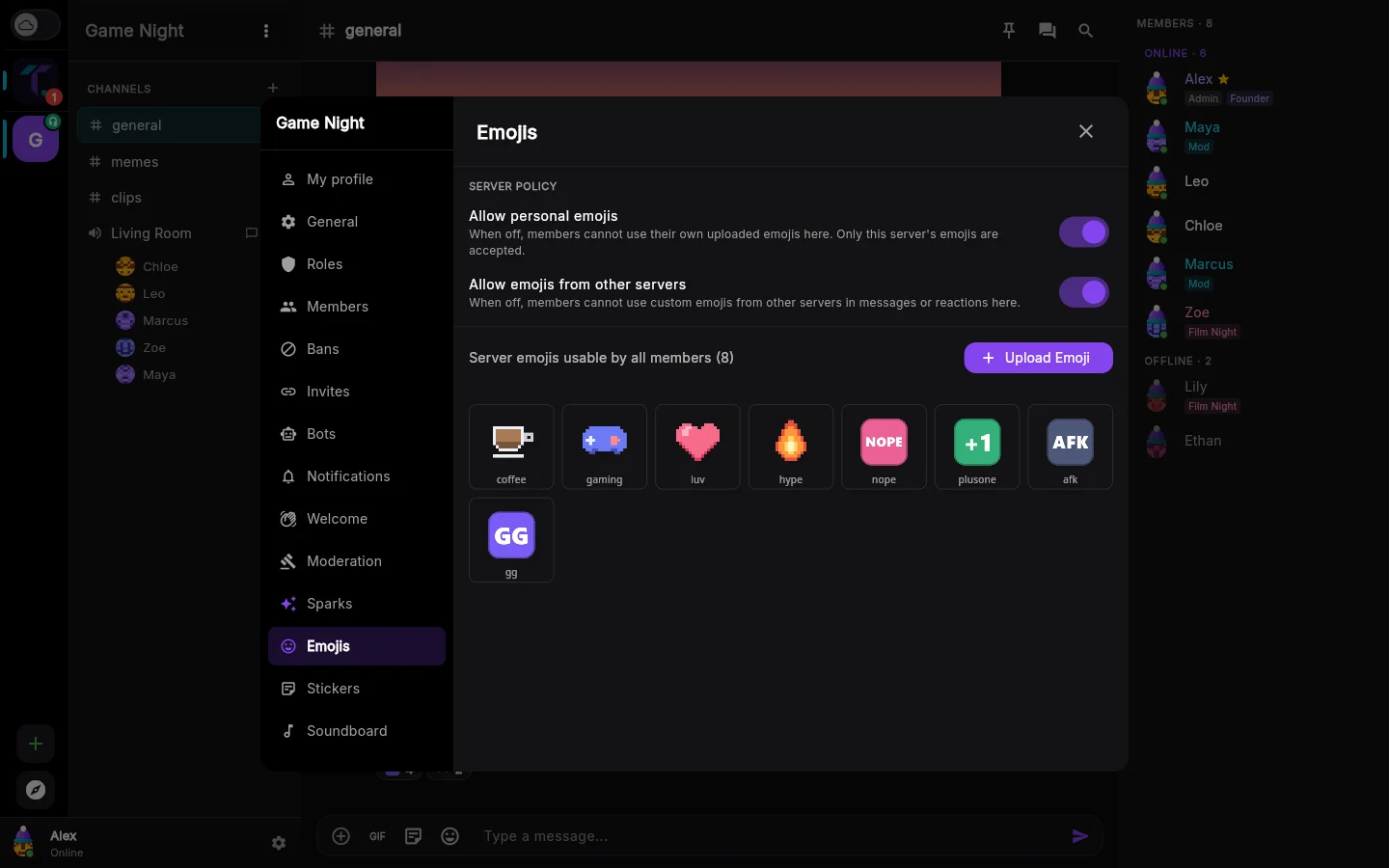
- Open Server settings, then Emojis.
- Press Upload Emoji, or drop image files onto the page.
- Give it a name: 2 to 32 characters, lowercase letters, digits and underscores. Members type it as
:name:.
Files can be GIF, PNG or WebP, up to 512 KB. GIFs stay animated. To delete an emoji, use the delete button on it in the list.
Emoji are not a paid feature: every server can hold up to 1,000.
Emoji policy
Section titled “Emoji policy”Under Server policy on the Emojis tab (needs Manage Emoji Policy):
- Allow personal emojis: when off, members cannot use their own uploaded emoji here. Only this server’s emoji are accepted.
- Allow emojis from other servers: when off, members cannot use custom emoji from other servers in messages or reactions here.
Stickers
Section titled “Stickers”You need Manage Emojis.
- Open Server settings, then Stickers.
- Press Upload sticker, or drop pictures onto the page.
- Give it a Name (2 to 30 characters) and, if you like, a Related emoji.
Files can be PNG, APNG, GIF or WebP, up to 512 KB. A server can hold up to 500 stickers. If you delete a sticker, messages that sent it show it as missing.
Soundboard
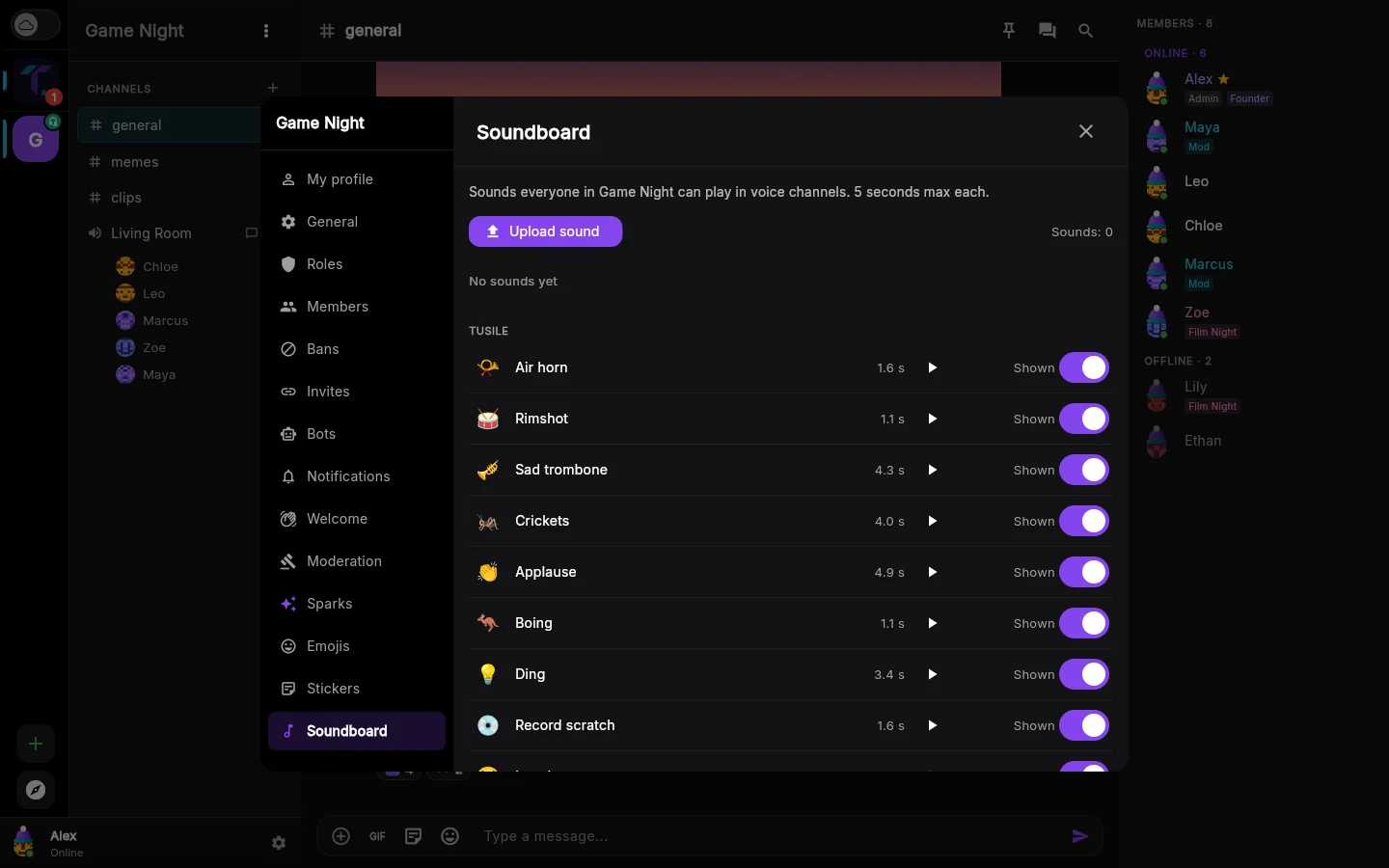
Section titled “Soundboard”The soundboard plays short sounds into a voice channel. Each server has its own sounds, plus a set of built-in Tusile sounds.
Who can do what
Section titled “Who can do what”| Permission | Allows | Default |
|---|---|---|
| Use Soundboard | Play sounds in voice | Member |
| Add Soundboard Sounds | Add sounds with Upload or Clip | Member |
| Manage Soundboard | Rename and delete any sound, hide built-in sounds, block members | Moderator |
Want a curated board? Turn off Add Soundboard Sounds on the Member role.
Add a sound
Section titled “Add a sound”From the Soundboard tab in Server settings (the tab needs Manage Soundboard and is hidden without it; members who only have Add Soundboard Sounds add sounds from the voice channel instead, below):
- Press Upload sound, or drop an audio file onto the page. MP3, WAV, OGG or M4A.
- Pick up to 5 seconds of it.
- Give it a Sound name (up to 32 characters) and, if you like, an Emoji.
- Press Save to your server.
Members with Add Soundboard Sounds can also add sounds from the soundboard while in a voice channel, with Upload or Clip last 30 s. Clip only captures the voices of people who turned on Let others clip my voice in their own settings.
A server can have up to 200 sounds.
Manage sounds
Section titled “Manage sounds”On the Soundboard tab:
- Edit or delete any sound. Deleting removes it for everyone.
- Switch built-in Tusile sounds between Shown and Hidden.
To stop one person playing sounds, right-click them in a voice channel and choose Block soundboard. See Moderation.