
Moderation
Tusile gives you three ways to deal with a member, from mildest to strongest:
| Action | What happens | Permission |
|---|---|---|
| Timeout | They cannot send messages or add reactions until it ends. They stay in the server and can still read. | Timeout Members |
| Kick | They are removed from the server. They can come back with an invite, or straight away if the server is public. | Manage Members |
| Ban | They are removed and cannot join again until unbanned. | Manage Members |
Nobody can moderate the owner or themselves. You can only moderate members whose highest role is below yours (see Role order). Menus only show the actions you can take on that person.
From the member list
Section titled “From the member list”- Open Server settings, then Members.
- Press ⋮ next to the member.
- Choose Change Nickname, Manage Roles, Timeout, Kick or Ban.
Timeout
Section titled “Timeout”Pick a Duration (1 minute, 5 minutes, 10 minutes, 1 hour, 24 hours or 7 days), add a reason if you like (Reason (optional)), and confirm.
Leaving the server does not end a timeout. If they leave, or are kicked, and come back before it runs out, they are still timed out.
Add a Reason, then choose what happens to their messages under Delete their messages:
- Keep their messages
- Delete the last hour: the usual answer to a spam run.
- Delete everything they posted
Deleted messages are gone for good, with no trace left in the channel.
Tick Also block their IP to stop anyone new joining from the addresses they used, for a week. It is off by default, because a whole household, school or phone network can share one address. Unbanning lifts it too.
Open Server settings, then Bans. Each ban shows its reason. Press Unban to let the account back in.
From the message box
Section titled “From the message box”Type these in any channel. They do the same thing as the menus, with the same permission checks.
| Command | What it does |
|---|---|
/timeout @member [10m] [reason] |
Time out a member. Without a length it lasts 10 minutes. |
/untimeout @member |
End a member’s timeout early. |
/timeout @everyone [10m] [reason] |
Time out everyone below you at once. Moderators and admins are left out. |
/timeout @role [10m] [reason] |
Time out everyone with a role. |
/untimeout @everyone or /untimeout @role |
Lift a group timeout. A member’s own separate timeout stays. |
/kick @member [reason] |
Remove a member. |
/ban @member [reason] |
Ban a member. |
/unban username |
Let a banned account back in. |
Lengths look like 90s, 10m, 2h or 1d, between a minute and a week. A bare number means minutes.
/timeout @everyone is useful when a channel is being flooded: it quiets the room for a few minutes while you deal with the cause.
Automatic timeouts for spam
Section titled “Automatic timeouts for spam”- Open Server settings, then Moderation.
- Set Automatic timeouts to a number of messages per minute (5 to 60). A member who sends more than that in one minute is timed out automatically.
- Set Timeout length for those automatic timeouts.
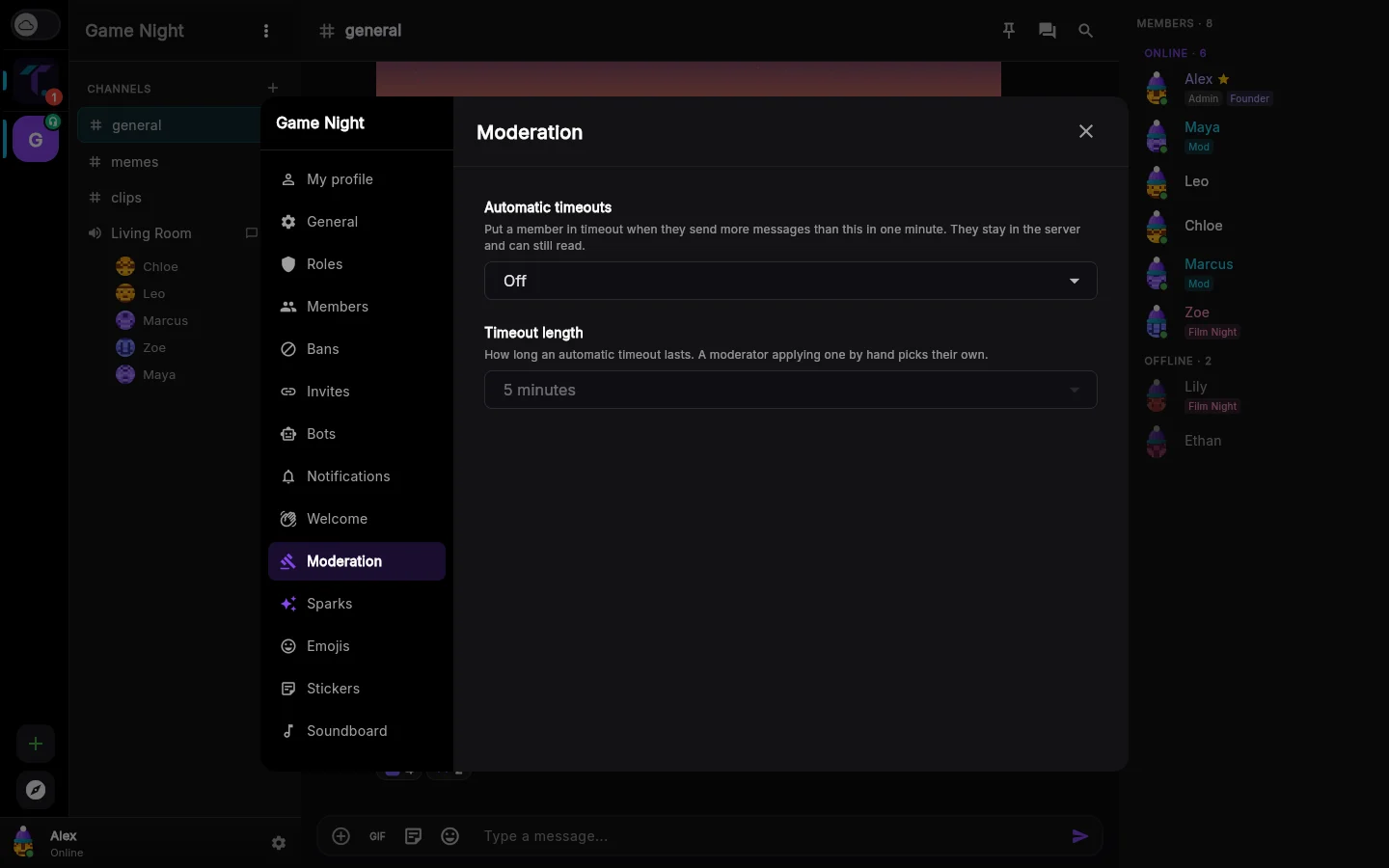
It is Off by default. A moderator applying a timeout by hand still picks their own length.
Delete messages
Section titled “Delete messages”Members with Manage Messages can delete anyone’s messages from the message menu. Everyone can delete their own.
Guests
Section titled “Guests”Guests are people trying Tusile without an account. They get a new account every session, so a ban rarely stops one. The settings for them are at the top of Server settings, Bans:
- Allow guests to join: turn it off and only people with a real account can join.
- Remove guests after: guests who have been in the server this long are removed automatically (Never, or 1 to 90 days). Members with a real account are never removed.
Right-click a person in a voice channel (long press on a phone) for the moderation options your roles allow:
- Server mute and Server deafen (Mute Members, Deafen Members)
- Disconnect from voice (Manage Members)
- Block soundboard: stops them playing soundboard sounds here (Manage Soundboard or Mute Members)
- Kick and Ban
Members with Manage Members can also drag people from one voice channel to another on a computer.
The owner can lift a server mute, server deafen or timeout that was put on their own account.
Who can do this
Section titled “Who can do this”Give moderation powers through roles. A good starting point:
- Trusted regulars: a role with only Timeout Members and Manage Messages.
- Moderators: the built-in Moderator role.
- Admins: the built-in Admin role.