
Roles and permissions
Roles decide what people can do on your server. Every member has the default role, and you can give them more. A member can do anything that at least one of their roles allows.
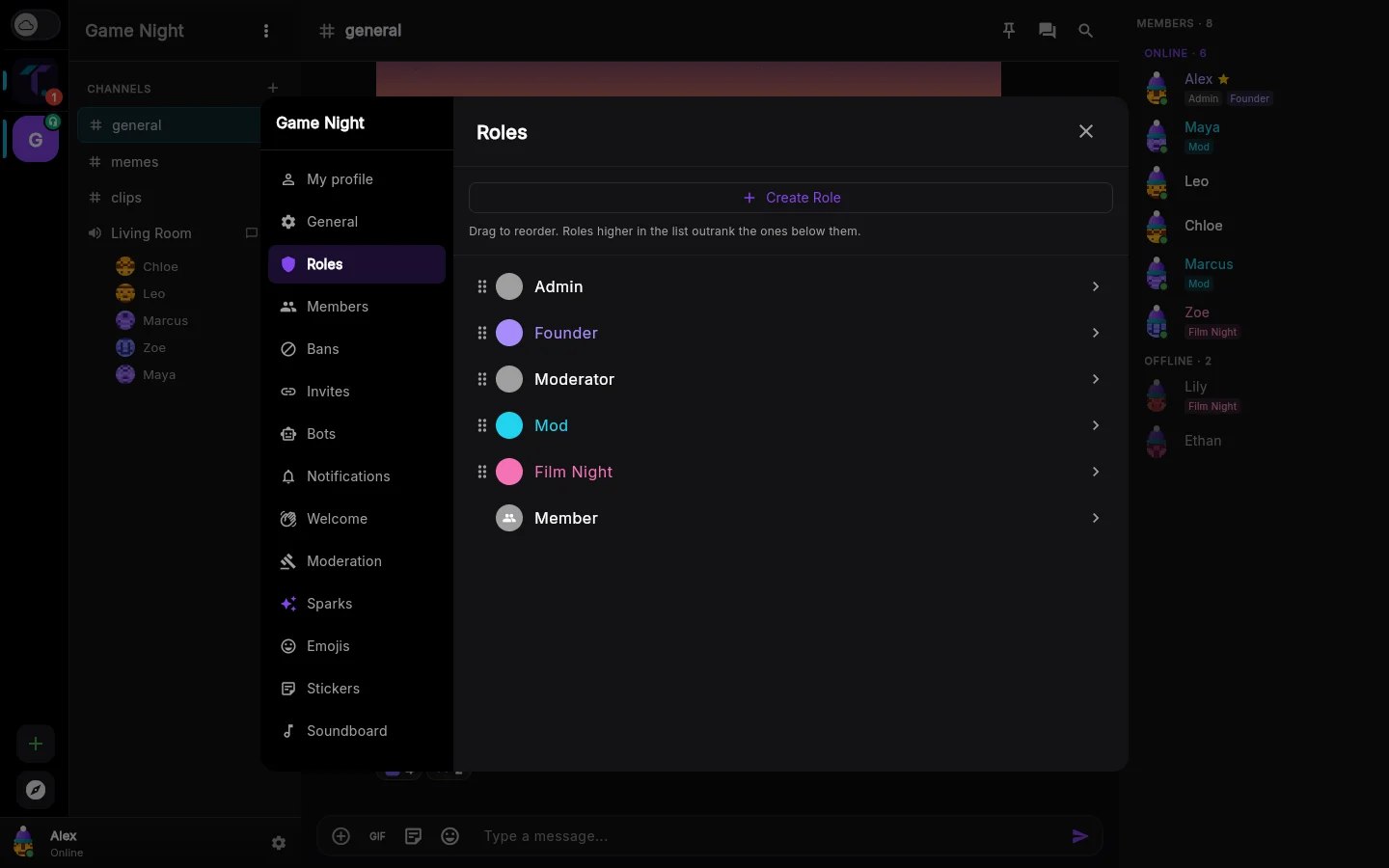
The roles a new server starts with
Section titled “The roles a new server starts with”| Role | Meant for | Notes |
|---|---|---|
| Admin | People you trust with everything | Has Administrator, which allows every permission. |
| Moderator | Your moderators | Can delete messages, time out, kick and ban, mute and deafen in voice, manage emoji, stickers and the emoji policy, and manage the soundboard. Cannot manage channels, roles or server settings. |
| Member | Everyone | The default role. Every member has it and it cannot be removed or deleted. |
The owner is not a role. The owner can always do everything, cannot be moderated, and is the only one who can delete the server, set the clan tag and start a Supercharge plan.
Create a role
Section titled “Create a role”You need Manage Roles.
- Open Server settings, then Roles.
- Press Create Role, type a Role name and press OK.
- Click the new role to edit it.
Edit a role
Section titled “Edit a role”Click a role in the Roles tab. Changes save on their own.
- Role name and Role color: the colour shows on the member’s name.
- Role icon: a small picture next to the names of members with this role. Role icons are a Supercharge perk. If a server stops being Supercharged, the icon is kept but hidden until it is Supercharged again.
- Permissions: switch each one on or off (see the list below).
- Delete Role: removes the role from everyone who has it. The default role cannot be deleted.
Role order
Section titled “Role order”Roles higher in the list outrank the ones below them. Drag a role by its handle to move it.
Order matters for moderation:
- You can only move, give or take away roles that sit below your own highest role.
- You can only moderate members whose highest role is below yours. Two members with the same top role cannot kick or time out each other.
Keep Admin at the top, staff roles in the middle, and Member at the bottom.
Give a role to a member
Section titled “Give a role to a member”- Open Server settings, then Members.
- Press ⋮ next to the member and choose Manage Roles.
- Tick the roles they should have, then press Close.
Permissions
Section titled “Permissions”General
Section titled “General”| Permission | Allows |
|---|---|
| Administrator | Everything. Skips every other permission check, including channel permissions. |
| Manage Server | Edit the server’s name, description and settings, add bots, and run the Discord import and bridge. |
| Manage Channels | Create, edit, sort and delete channels and categories. |
| Manage Roles | Create, edit and delete roles below your own, and give them to members. |
| Manage Members | Kick and ban members, change their nicknames, delete other people’s invites, and move or disconnect people in voice channels. |
| Timeout Members | Stop a member posting or reacting for a while, without removing them. |
| Create Invite | Make invite links. The Member role has it by default. |
| Manage Emojis | Upload and delete server emoji and stickers. |
| Manage Emoji Policy | Turn the server’s emoji policies on and off (personal emoji, emoji from other servers). |
| Permission | Allows |
|---|---|
| View Channels | See text and voice channels. |
| Send Messages | Send messages in text channels. |
| Manage Messages | Delete other members’ messages. |
| Attach Files | Upload files and images. |
| Post As Others | Post under another name and picture, as a bridge to Discord does. Meant for bots; no role has it by default. |
| Permission | Allows |
|---|---|
| Connect | Join voice channels. |
| Speak | Talk in voice channels. |
| Stream | Share a screen. |
| Use Camera | Turn on a camera. |
| Mute Members | Server-mute others in voice. |
| Deafen Members | Server-deafen others in voice. |
| Use Soundboard | Play soundboard sounds. |
| Add Soundboard Sounds | Add sounds with Upload or Clip. The Member role has it by default. |
| Manage Soundboard | Add, rename and delete sounds, hide the built-in ones and block members from the soundboard. |
To change what a role can do in one channel only, use channel permissions.
Timeouts and moderators
Section titled “Timeouts and moderators”Timeout Members is separate from Manage Members on purpose. You can let trusted regulars silence a spammer for a few minutes without also letting them kick or ban. See Moderation.